
Cloudflare's Disallow AI Training: Impact on URL to Markdown Workflows
Cloudflare's Disallow AI Training setting separates search visibility from AI training. Here's what it changes for URL to Markdown extraction — and how to adapt.
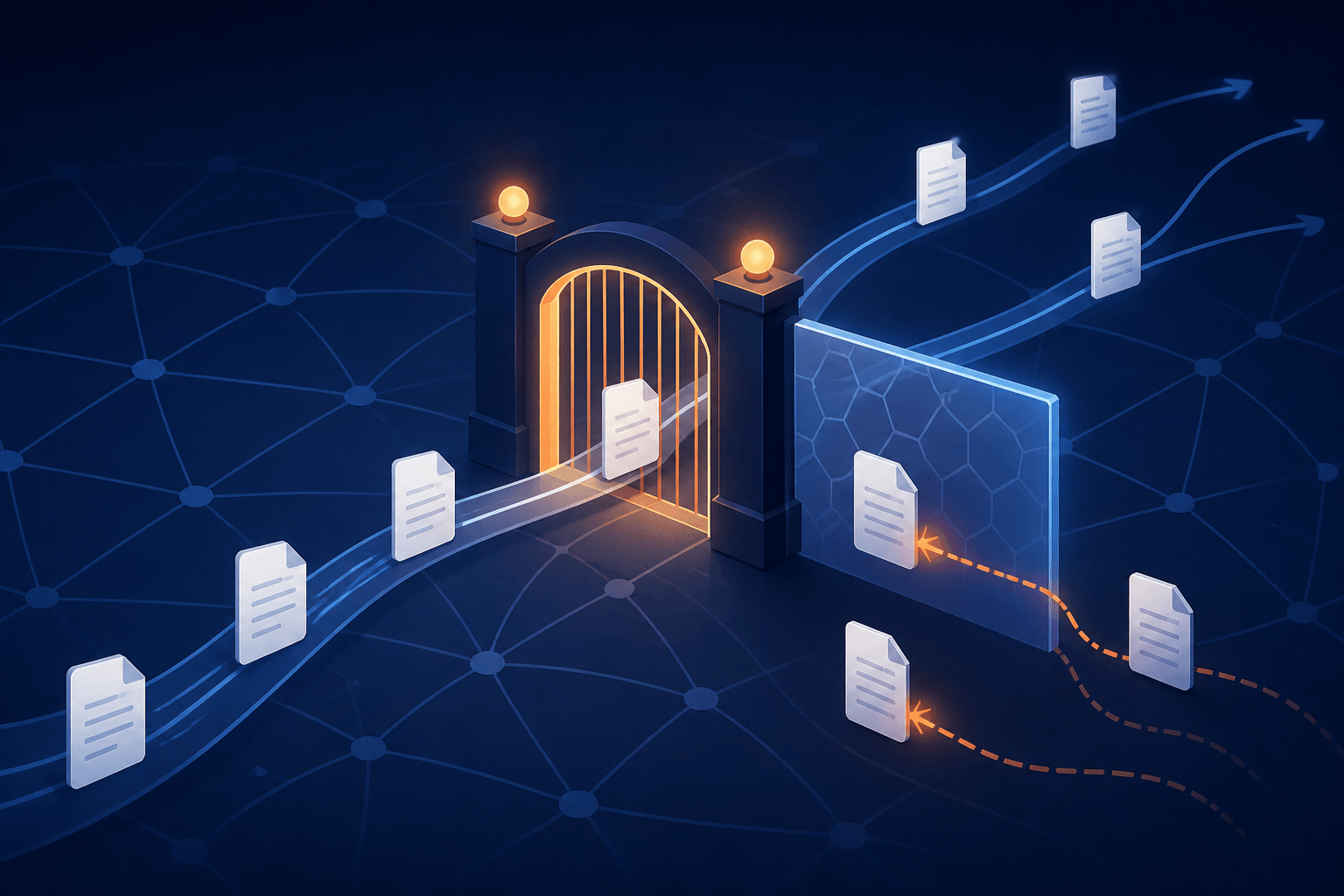
Cloudflare runs the network in front of a huge share of the web, and on September 15, 2026 it changed the rules that decide who gets to fetch a page. Its new Disallow AI Training setting lets a site stay fully indexed for search while refusing AI training — and its Block controls now reach the mixed-use crawlers that power Google, Bing, and Apple search.
If you run a URL to Markdown workflow — a conversion tool, a research pipeline, an agent that pulls pages into clean text — this policy reshapes your availability assumptions. More sites will serve different answers to different fetchers, robots.txt is becoming a machine-published preference feed, and fetches that worked last month can start returning a 403 or a challenge page.
This article breaks down what actually changed in the Cloudflare announcement, why extraction-style fetches are exposed, and the concrete adjustments that keep a convert-url-to-markdown pipeline working: honest user-agent identification, robots.txt awareness, caching, and a graceful failure path.
Key takeaways
- Cloudflare now classifies crawler behavior into three classes — Search, Training, and Agent — and controls each class at the domain level, on all plans.
- Disallow AI Training splits the old tradeoff: sites keep search indexing while every non-search training crawler gets blocked. Accountable mixed-use crawlers (Applebot, Bingbot, Googlebot) keep crawling for search.
- Block now applies to mixed-use crawlers too — a site that selects it stops Applebot, Bingbot, and Googlebot entirely, search included.
- Recommended presets for new ad-monetized domains set Agent to Block on pages with ads — a default that tightens against automated fetchers, not just training bots.
- robots.txt is no longer just a polite suggestion: Cloudflare’s Bot Preference Sync publishes site preferences there, and its network enforces them whether or not a crawler reads the file.
What Cloudflare actually changed
Cloudflare’s core idea is behavior-based classification. A single bot can exhibit more than one behavior, and the announcement defines three: Search (building a search index), Training (training or fine-tuning a model), and Agent (user-directed agents visiting a page on behalf of a human, such as chat fetch bots and browser-use agents). A mixed-use crawler is one crawler doing both Search and Training — which is exactly why site owners used to face a blunt choice: allow the crawler and accept training, or block it and vanish from search.
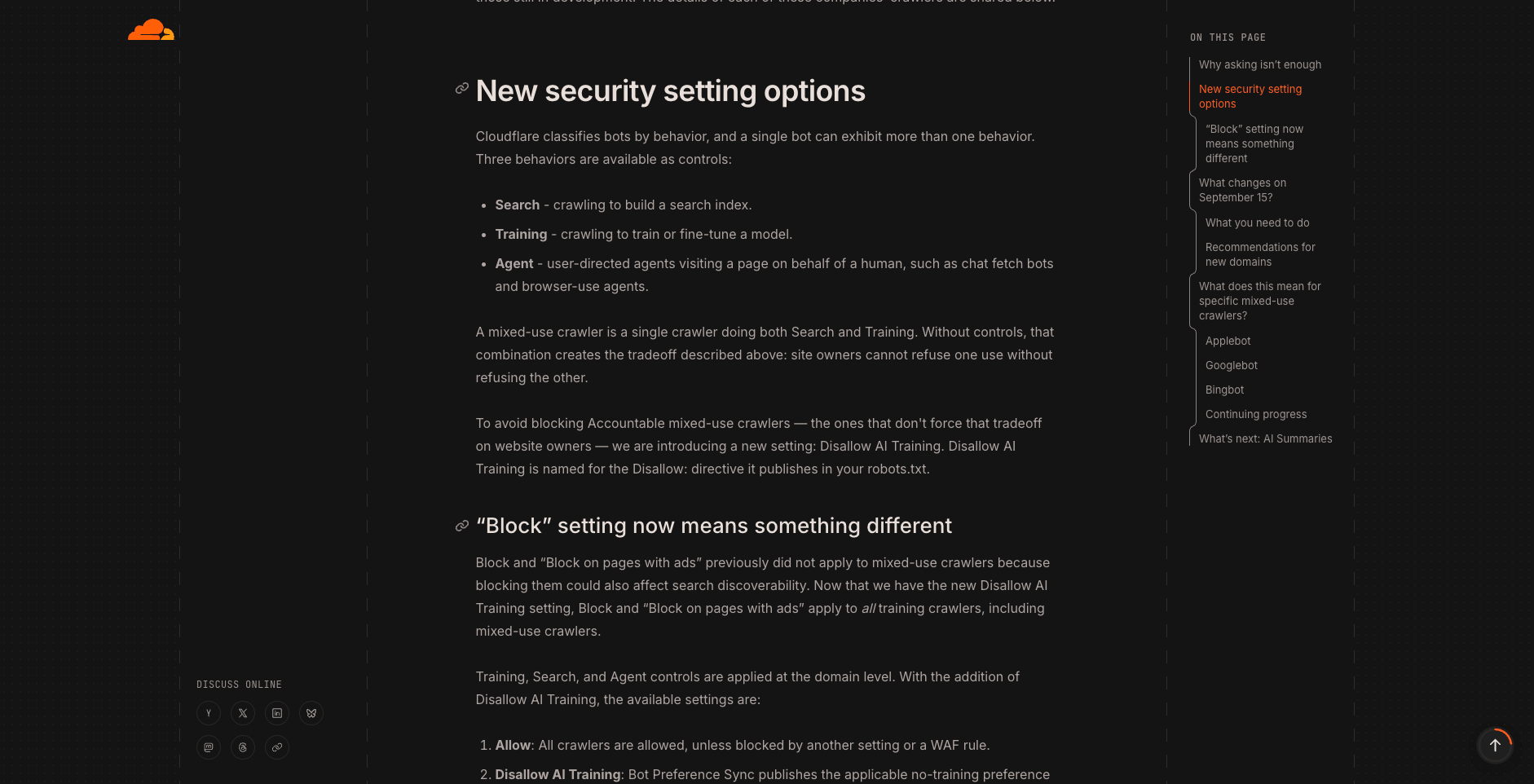
The four crawler settings in Cloudflare’s September 15, 2026 announcement (source: Cloudflare Blog, accessed 2026-09-18)
The new Disallow AI Training setting removes that tradeoff. Under it, Accountable mixed-use crawlers remain allowed for search, while every other training crawler is blocked — including the training-only crawlers run by Amazon, Anthropic, Meta, and OpenAI. Cloudflare says Apple, Google, and Microsoft either honor the preference today or have committed to honoring it within a stated time frame, which is what qualifies them for the company’s Accountable designation.
Two deprecations shipped with it. The old “Block AI Bots” switch is replaced by the granular Search/Training/Agent controls, and Managed Robots.txt is replaced by Bot Preference Sync, the mechanism that writes a site’s no-training preference directly into its robots.txt. All of these controls apply at the domain (zone) level and are available on every plan.
Existing domains did not have to do anything — current settings carried over automatically. But the migration defaults matter for understanding today’s landscape: a legacy “Block AI” domain migrated to Search = Allow, Training = Disallow AI Training, and Agent = Block on pages with ads. And for new domains onboarded after September 15, Cloudflare recommends stricter presets for ad-funded sites: Training = Disallow AI Training and Agent = Block on pages with ads, while non-ad sites default to Allow for both.
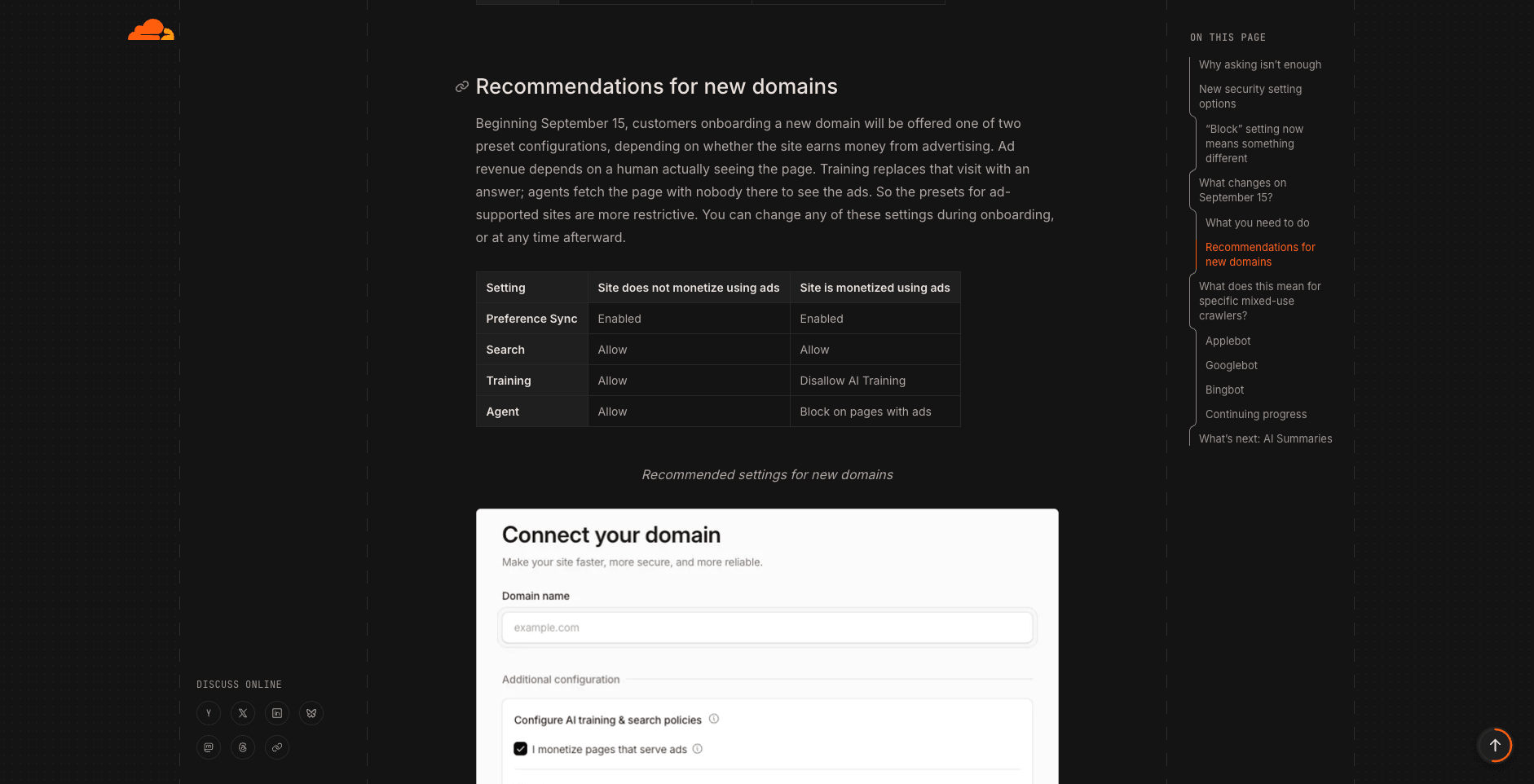
Recommended settings for new domains: ad-monetized sites default to Disallow AI Training and Block on pages with ads (source: Cloudflare Blog, accessed 2026-09-18)
The adoption numbers explain why Cloudflare expects most sites to keep search open: fewer than 1% of Cloudflare sites block Search bots, while 17% already use some mechanism to block training. Search stays welcome; everything else is increasingly conditional.
Two timeline caveats matter for anyone planning around this. First, Bing is the laggard: Microsoft is building robots.txt support for a no-training preference, targeted for early 2027, so until then a site’s Disallow AI Training setting does not automatically convey that preference to Bingbot (site owners can use Bing’s NOARCHIVE tag or its URL removal tools meanwhile). Second, the Agent class has no Disallow-style setting yet — Cloudflare says it will revisit that as standards like ai-prefs mature.
Why URL to Markdown fetches are exposed
Here is the part that matters for extraction workflows, and it is analysis rather than announced policy: a URL-to-Markdown converter is not a Search crawler, not a Training crawler, and not exactly a user-directed Agent either. When a person pastes a URL into a tool and asks for Markdown, the fetch is user-directed in spirit — but a generic server-side fetcher has no way to prove that to a network that is classifying behavior in real time.
The direction of the defaults is what should worry pipeline operators. New ad-monetized domains get Agent = Block on pages with ads out of the box, migrated legacy “Block AI” domains carry the same Agent default, and pages serving ads are everywhere on the commercial web. A fetcher that looks like an unclassified bot will, on those domains, hit a challenge or a block on exactly the pages that tend to be worth extracting.
It is also worth being precise about enforcement. The announcement is blunt about robots.txt: a directive alone cannot identify who is crawling or stop a crawler that ignores it. Cloudflare’s answer is network-level identification and enforcement, with operator behavior tracked publicly on Radar. In other words, what gets evaluated is not the file your fetcher skipped but the behavior your fetcher exhibits.
Adapting a URL to Markdown workflow
None of this means automated extraction is dead. It means the margin for sloppy fetching is shrinking. Five adjustments cover most of the risk.
1. Identify your fetcher honestly
Segment by user-agent and make the string truthful. A descriptive UA such as Mozilla/5.0 (compatible; URL-to-Any/1.0) tells a site operator what is hitting them and lets them allow or refuse you deliberately. Spoofing a browser UA may pass more gates this week, but it is a durability trap: classification systems score behavior (fetch patterns, script execution, header consistency), not just the UA line, and a browser string on a non-browser client is itself a signal. The whole Accountable framework rewards operators that say who they are; your fetcher should be one of them.
2. Treat robots.txt as a live preference feed
Bot Preference Sync means robots.txt now carries machine-published, enforceable-in-spirit preferences — including no-training directives. Reading robots.txt before a fetch costs one request and tells you how the site treats automated access. For a one-shot, user-initiated conversion the calculus differs from bulk harvesting, and your workflow should encode that difference explicitly instead of pretending all fetches are equivalent.
3. Design the failure path before you need it
On a tightening network, 403s, managed challenges, and interstitial pages are normal outcomes, not bugs. A robust pipeline detects them (status codes plus content sniffing for challenge pages), backs off instead of hammering, and surfaces an honest message — “this site blocks automated fetching” — rather than converting a block page into garbage Markdown that silently poisons downstream data. If your tool reports fetch failures explicitly, that is a feature; treat it as one.
4. Cache and deduplicate
Every repeat fetch of the same URL multiplies your footprint on someone else’s network. Content-addressed caching — storing by URL and content hash — cuts repeat traffic, reduces latency, and lowers the behavioral score that gets unattended fetchers flagged in the first place.
5. Segment fetch purposes
If your system both monitors pages on a schedule and serves interactive user conversions, split them into distinct identities with distinct policies. A scheduled monitor looks like a crawler no matter what it is called; an interactive conversion at least has a user behind it. Mixing the two guarantees your user-facing fetches inherit the reputation of your batch jobs.
Converting a URL to Markdown today
For a one-off conversion, use a tool that gets the essentials right: it identifies itself honestly and reports failures instead of fabricating content. URL to Any’s URL to Markdown tool fetches the page server-side, converts the HTML to clean Markdown, and identifies itself with its own user-agent rather than a fake browser string — and when a site refuses the fetch, it reports the failure instead of returning fabricated content.
If you want the hands-on walkthrough of the conversion itself — input options, handing the output to an AI agent, and a quick quality check — see the companion guide How to Convert a URL to Markdown for AI Agents.
FAQ
Does Disallow AI Training hurt my search rankings? That is the announcement’s central promise: Apple, Google, and Microsoft each state that disallowing training does not affect search ranking, and Cloudflare built the Accountable designation around that assurance.
Will my scraper stop working on Cloudflare-protected sites? Not wholesale. Settings are per-domain, and fewer than 1% of Cloudflare sites block Search bots. What changes is that tighter defaults — especially Agent = Block on pages with ads — become common, so expect more per-site variation and more challenges, and handle them gracefully.
Does this Cloudflare policy bind the whole web? No. These controls govern Cloudflare-protected properties. Other networks and CDNs make their own calls — the announcement does not claim industry-wide adoption, and neither should your availability assumptions.
What is coming next? AI summaries are the announced frontier: summary opt-outs are already an Accountable requirement, and Cloudflare aims to let site owners control how much of their content appears in summaries by early next year. Extraction workflows that feed summary systems should watch that rollout closely.
The takeaway
The web is moving from “ask politely in robots.txt” to granular, machine-published, network-enforced preferences. For URL to Markdown workflows the adaptation list is short but real: identify honestly, read the preferences, cache what you fetch, and fail loudly when a site says no. Do that, and the usable web stays very much open.
Related Articles
PDF to Markdown: What LiteParse's September 2026 Update Changes
LiteParse 2.14.6 cuts PDF text extraction by 20–25%, lifts table accuracy on all three benchmarks, and adds block-level visual grounding plus an is-complex router. What the vendor-reported numbers say — and how to choose a PDF to Markdown approach.
Qwen3.8-Omni-Flash: Convert Web Pages to Markdown/JSON to Feed Multimodal Models
Qwen3.8-Omni-Flash takes text, image, audio, and video input with 1M context and cut hourly audio input prices by over 98%. See when to convert web pages to Markdown vs JSON for your AI pipeline — free, no install.
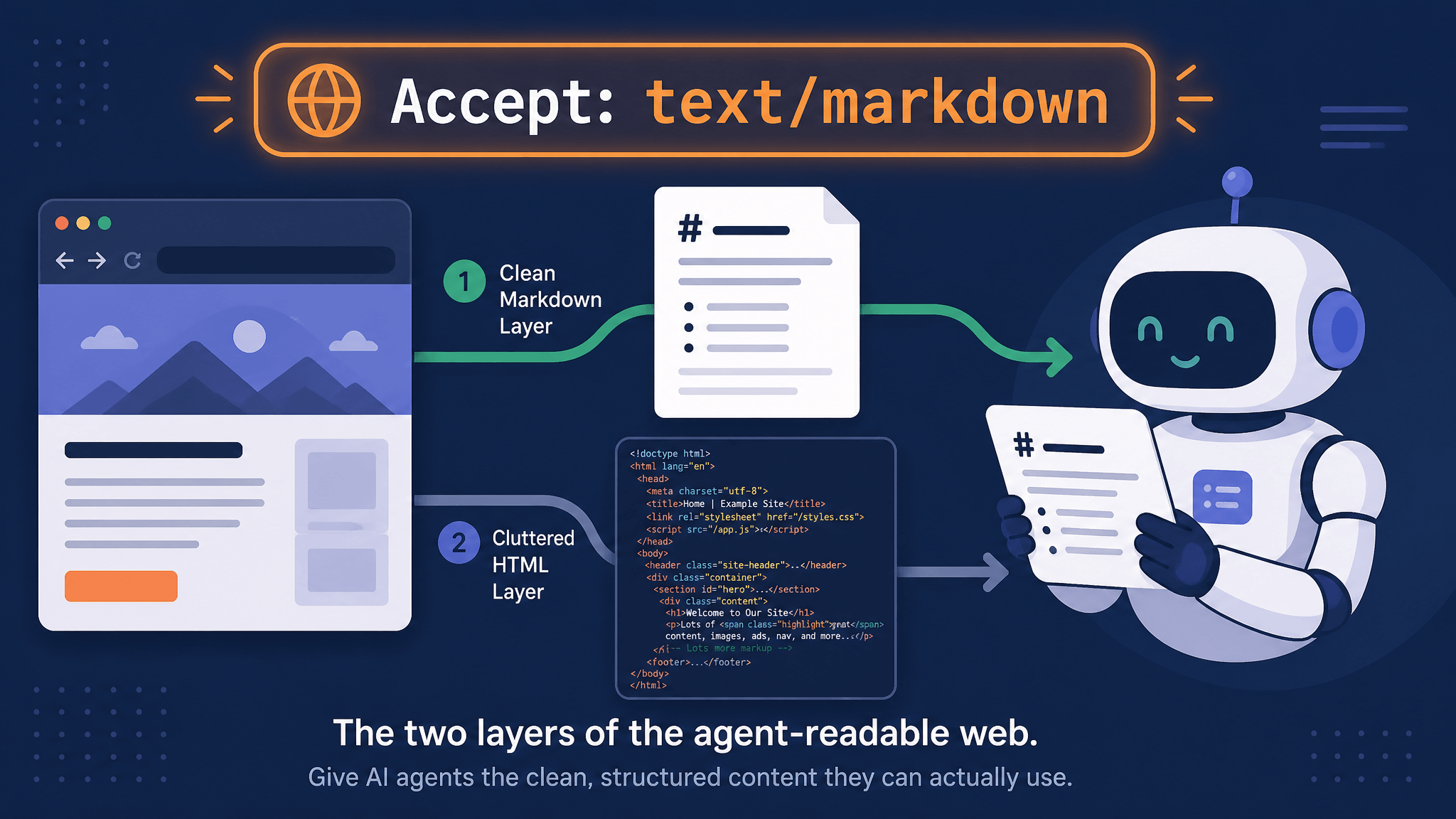
How AI Agents Read Web Pages: Markdown Negotiation, WebMCP, and a 10-Second Check
AI agents read your pages over plain HTTP. Learn how Accept: text/markdown content negotiation works, which agents honor it, what WebMCP changes, and how to check any URL in seconds.