
What Is Auth.md? OAuth Discovery for AI Agents
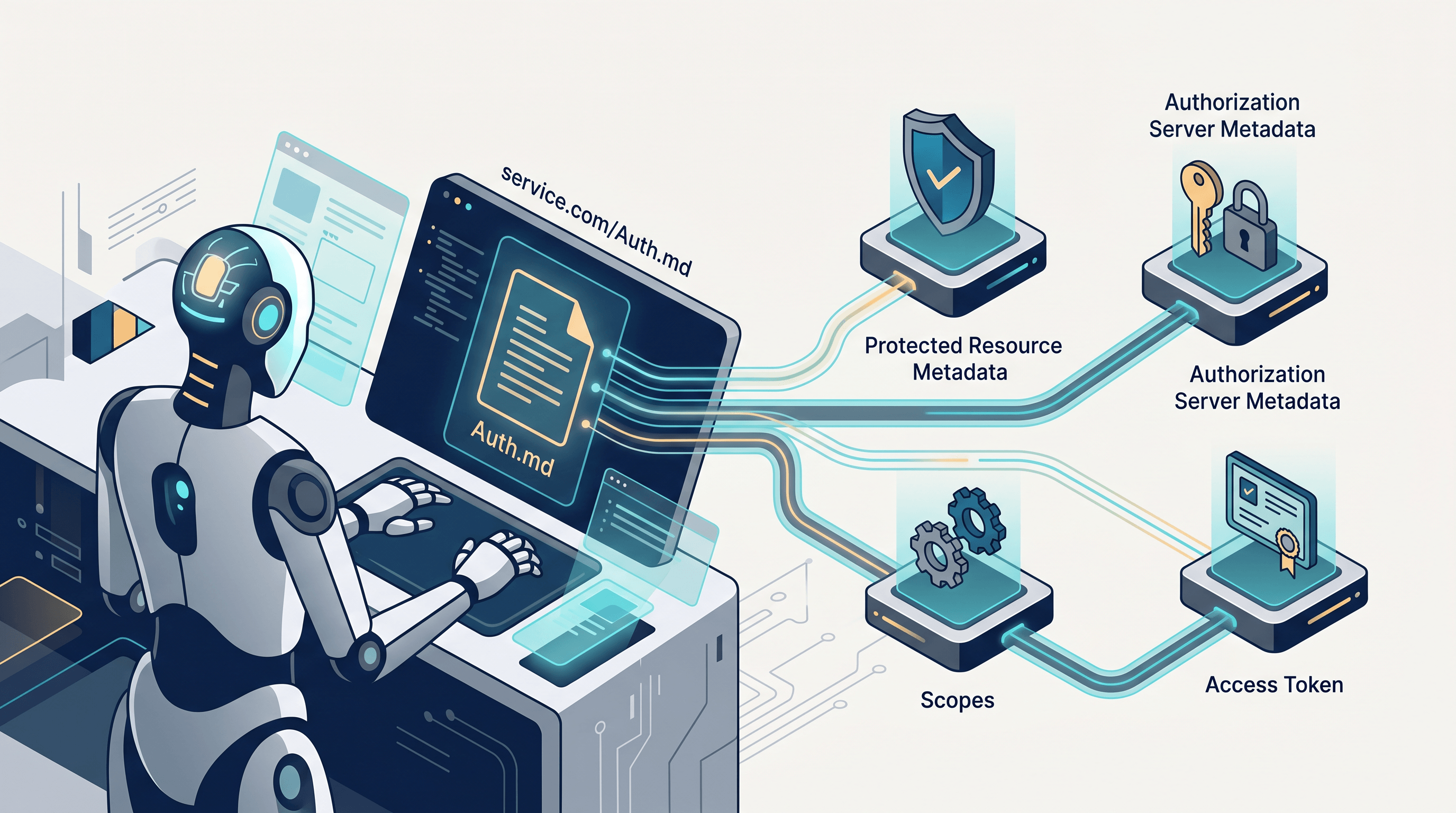
Auth.md lets AI agents discover OAuth registration details from a root Markdown file. Learn the flow and inspect it with URL to Any.
Last updated: June 17, 2026.
An AI agent calls an API, gets a 401 Unauthorized, and needs to know what to do next. A human would open the docs, click through sign-up, approve scopes, and paste a key somewhere. Auth.md is a proposal for replacing that manual detour with a root-domain Markdown file and OAuth discovery metadata that an agent can read on its own.
Auth.md matters because agent authentication has a different failure shape from human login. The agent needs scoped credentials, a consent path, revocation, and enough machine-readable instructions to avoid guessing. WorkOS introduced Auth.md on May 21, 2026 as an open agent-registration protocol built around Markdown, OAuth Protected Resource Metadata, and standard token exchange patterns.
Table of contents
- What Is Auth.md?
- Why Auth.md Exists
- How Does Auth.md Work?
- Auth.md vs llms.txt vs OAuth Metadata
- What Should an Auth.md File Contain?
- How to Inspect Auth.md with URL to Any
- Auth.md Implementation Checklist
- FAQ
- Conclusion
What Is Auth.md?
Auth.md is a Markdown file hosted at a service root, usually https://service.example.com/auth.md, that tells AI agents how to discover OAuth resources, register on behalf of a user, request scopes, complete claim flows, exchange assertions for access tokens, and handle revocation.
The key idea is simple: Auth.md gives agents a readable playbook, while OAuth metadata gives agents the authoritative machine data. According to the WorkOS Auth.md docs, the file describes supported registration flows, exposed scopes, and post-registration behavior; the structured Protected Resource Metadata at /.well-known/oauth-protected-resource remains the runtime source of truth.
Auth.md is not just another documentation page. A normal docs page is written for a developer who can interpret missing context, click navigation, and make judgment calls. Auth.md is written for an agent that needs a short, ordered, low-ambiguity path. It uses headings for navigation, fenced http and json blocks for request shapes, and direct instructions for error recovery.
Auth.md also differs from a static API key guide. API keys often become broad, long-lived, and hard to audit per delegated task. Auth.md is designed around scoped OAuth credentials and explicit registration flows, so a service can know which agent acted, which user it acted for, what scopes were granted, and how to revoke that delegation later.
Why Auth.md Exists
Auth.md exists because sign-up forms and conventional OAuth consent screens assume a human starts the integration. AI agents invert that order: the agent discovers a service during a task, needs to register, and then asks the user for consent only when the service requires it.
WorkOS frames the problem with a common API failure: an agent hits an API and receives a 401. Without Auth.md, the agent can give up, ask the user to create an account and paste back credentials, or rely on a custom endpoint that no other agent knows how to discover. Auth.md tries to make that first unauthenticated moment actionable.
The protocol ties together three existing ideas:
| Building block | Role in Auth.md | Why agents need it |
|---|---|---|
| Root Markdown file | Human and agent-readable instructions at /auth.md |
Lets the agent understand the flow without being trained on every service |
| OAuth Protected Resource Metadata | JSON metadata at /.well-known/oauth-protected-resource |
Tells the agent the resource, authorization servers, scopes, and bearer methods |
| OAuth token exchange and revocation | Standard endpoints such as /oauth2/token and /oauth2/revoke |
Gives services scoped access tokens and a familiar revocation model |
The OAuth Protected Resource Metadata standard, RFC 9728, was published in April 2025 and defines a metadata format clients and authorization servers can use to learn how to interact with a protected resource. Auth.md builds on that discovery layer rather than replacing it.
How Does Auth.md Work?
Auth.md works as an ordered discovery and registration flow. The agent finds the service’s metadata, reads Auth.md for step-by-step guidance, picks a supported registration method, obtains an identity assertion, exchanges it for an access token, and then handles expiry or revocation when the credential stops working.
In our inspection of the WorkOS reference AUTH.md, the template is organized around 6 operational steps: discover, pick a method, register, complete a claim ceremony if needed, exchange the assertion, and use the access token. That shape is useful because each step maps to a concrete agent decision.
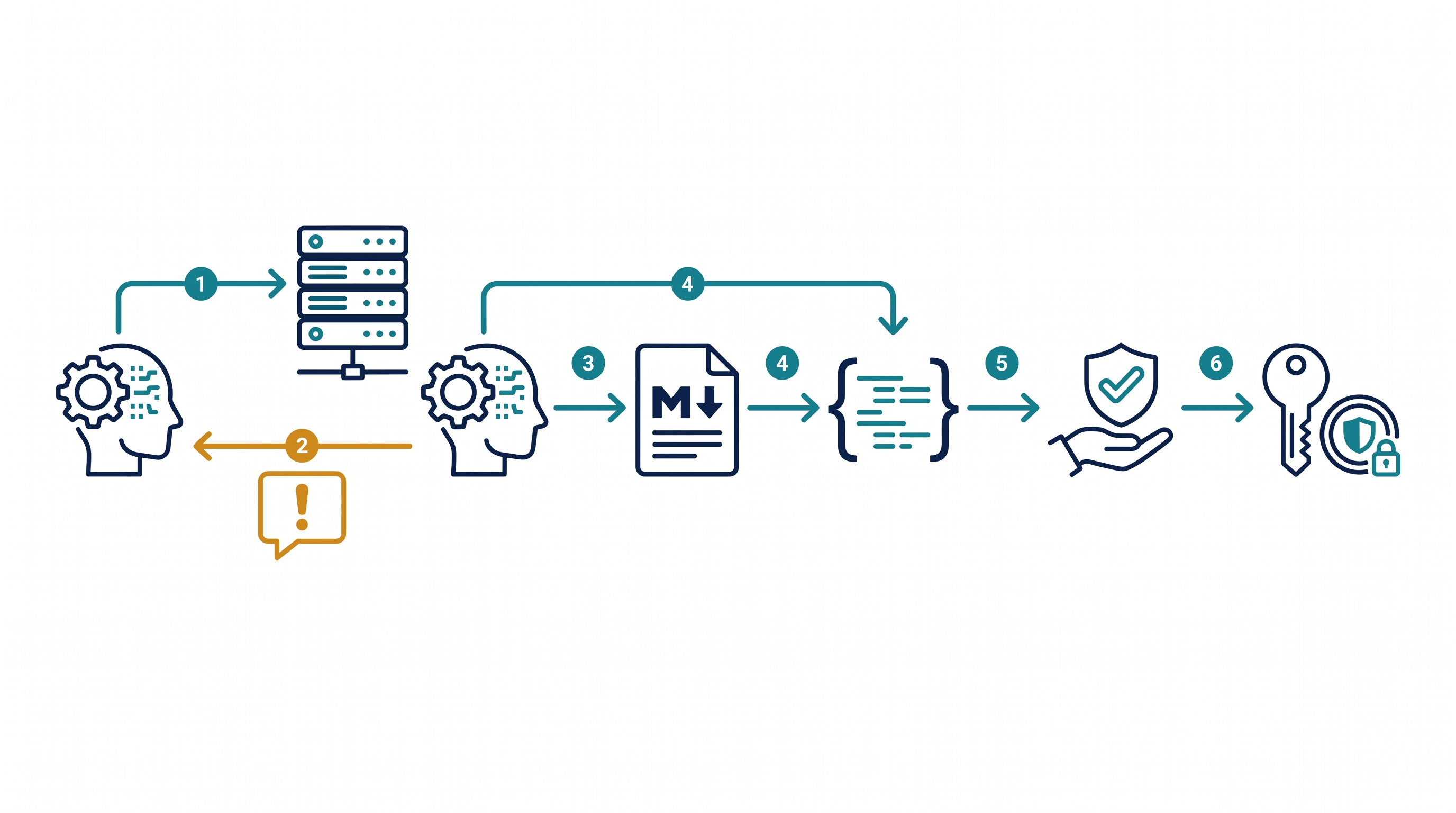
Here is the Auth.md flow in practical terms:
- The agent reaches a protected API. It may receive
401 Unauthorizedwith aWWW-Authenticateheader that points to a Protected Resource Metadata URL. - The agent fetches Protected Resource Metadata. The metadata tells Auth.md-aware agents the protected resource URL, the display name, supported scopes, bearer methods, and authorization server locations.
- The agent fetches Authorization Server metadata. This metadata includes standard OAuth fields such as
issuer,token_endpoint, andrevocation_endpoint, plus the Auth.md-specificagent_authblock. - The agent reads Auth.md. Auth.md explains which registration types are supported and how to call the registration and claim endpoints.
- The agent registers. Depending on the service, it may use an agent-verified identity assertion, an email-based user-claimed flow, or an anonymous pre-claim flow.
- The agent exchanges for a token. After registration, the agent exchanges a service-signed identity assertion at the OAuth token endpoint and receives a scoped access token.
WorkOS describes 2 primary Auth.md registration flows. The agent verified flow depends on a trusted agent provider, such as OpenAI, Anthropic, or Cursor, asserting the user’s identity with an Identity Assertion JWT Authorization Grant, or ID-JAG. The user claimed flow lets the user confirm a code on a service-owned page, which means the service can support Auth.md even when the agent provider cannot mint ID-JAGs.
The user claimed flow is especially important for early adoption. An agent can start with only an email address or no identity at all, then ask the user to complete a 6-digit claim ceremony. WorkOS notes that this ceremony borrows its shape from OAuth device authorization, but uses an Auth.md-specific grant so it does not collide with a service’s normal device-code implementation.
Auth.md vs llms.txt vs OAuth Metadata
Auth.md, llms.txt, and OAuth metadata are all discovery files, but they answer different questions. Auth.md answers “how can an agent authenticate and register?” llms.txt answers “which content should an LLM read?” OAuth metadata answers “which endpoints and capabilities are authoritative for this protected resource?”
| File or endpoint | Main audience | Typical location | Primary job |
|---|---|---|---|
| Auth.md | AI agents and developers | /auth.md |
Explain agent registration, scopes, claim flows, token use, and revocation |
| llms.txt | LLM crawlers and retrieval agents | /llms.txt |
Point models to important site content and clean reading paths |
| OAuth Protected Resource Metadata | OAuth clients, agents, authorization servers | /.well-known/oauth-protected-resource |
Declare resource identity, scopes, authorization servers, and bearer methods |
| OAuth Authorization Server Metadata | OAuth clients and agents | /.well-known/oauth-authorization-server |
Declare issuer, token endpoint, revocation endpoint, grants, and Auth.md’s agent_auth extension |
This distinction matters for implementation. Auth.md should stay short and operational; it is not the place for your entire API reference. If Auth.md and the Protected Resource Metadata disagree, agents should treat the metadata as authoritative because it is the runtime contract.
The best mental model is “Auth.md is the agent-facing guide, OAuth metadata is the source of truth.” A human can read Auth.md to understand the flow. An agent can parse Auth.md to decide what to do next. The service can rely on OAuth metadata and endpoints to enforce the real security boundary.
What Should an Auth.md File Contain?
A useful Auth.md file contains only what an agent needs to register, act, refresh, and recover. WorkOS recommends a conservative, high-signal file with sections ordered the same way an agent should execute them.
| Auth.md section | What it should answer | Example checks |
|---|---|---|
| Title and intro | What service is this, and which hostnames are real? | Resource server, authorization server, support contact |
| Discover | Where is the Protected Resource Metadata, and what fields matter? | resource, authorization_servers, scopes_supported |
| Pick a method | Which Auth.md registration flows are accepted? | identity_assertion, service_auth, anonymous |
| Register | Which endpoint receives the registration body? | /agent/identity, request shape, response shape |
| Claim ceremony | How does the user confirm ownership if needed? | user_code, verification_uri, polling interval |
| Exchange assertion | How does the agent receive an access token? | /oauth2/token, JWT bearer grant, scopes |
| Use credential | How should the agent call the API and recover from 401s? | Bearer header, expiry behavior |
| Errors and revocation | What should the agent do when something fails? | invalid_grant, authorization_pending, /oauth2/revoke, event delivery |
Auth.md should include code blocks when the shape matters. A fenced http block makes it easier for an agent to identify an endpoint and method. A fenced json block makes it easier to extract required fields. A table of error codes helps an agent avoid repeating failed requests.
Auth.md should not include product marketing copy, general tutorials, or every endpoint in the API. Long files are harder for agents to parse reliably. Keep Auth.md focused on registration and operation, then link to full docs for deeper API behavior.
How to Inspect Auth.md with URL to Any
You can inspect Auth.md by converting the root Markdown file into Markdown, Text, or JSON and checking whether the agent-critical details survive extraction. The goal is not to “scrape” Auth.md; the goal is to verify that an agent or LLM can read the file cleanly before you depend on it.
Start with a real Auth.md URL, such as https://service.example.com/auth.md, or a raw GitHub template while you are drafting. Then run the file through 3 views:
| URL to Any view | What to check in Auth.md | Best use |
|---|---|---|
| URL to Markdown | Headings, tables, code fences, links, ordered steps | Verify the Auth.md structure an LLM will read |
| URL to Text | Plain-language instructions and error guidance | Check whether the file remains understandable without formatting |
| URL to JSON | Extracted links, sections, and structured fields | Build automated checks for endpoints, scopes, and missing sections |
Paste the Auth.md URL into URL to Any and choose Markdown first. The conversion usually takes about 2 seconds and gives you a clean copy you can paste into a prompt, diff against your source, or hand to a review agent. Then run Text to see the fallback reading path, and JSON to inspect links and extracted structure.
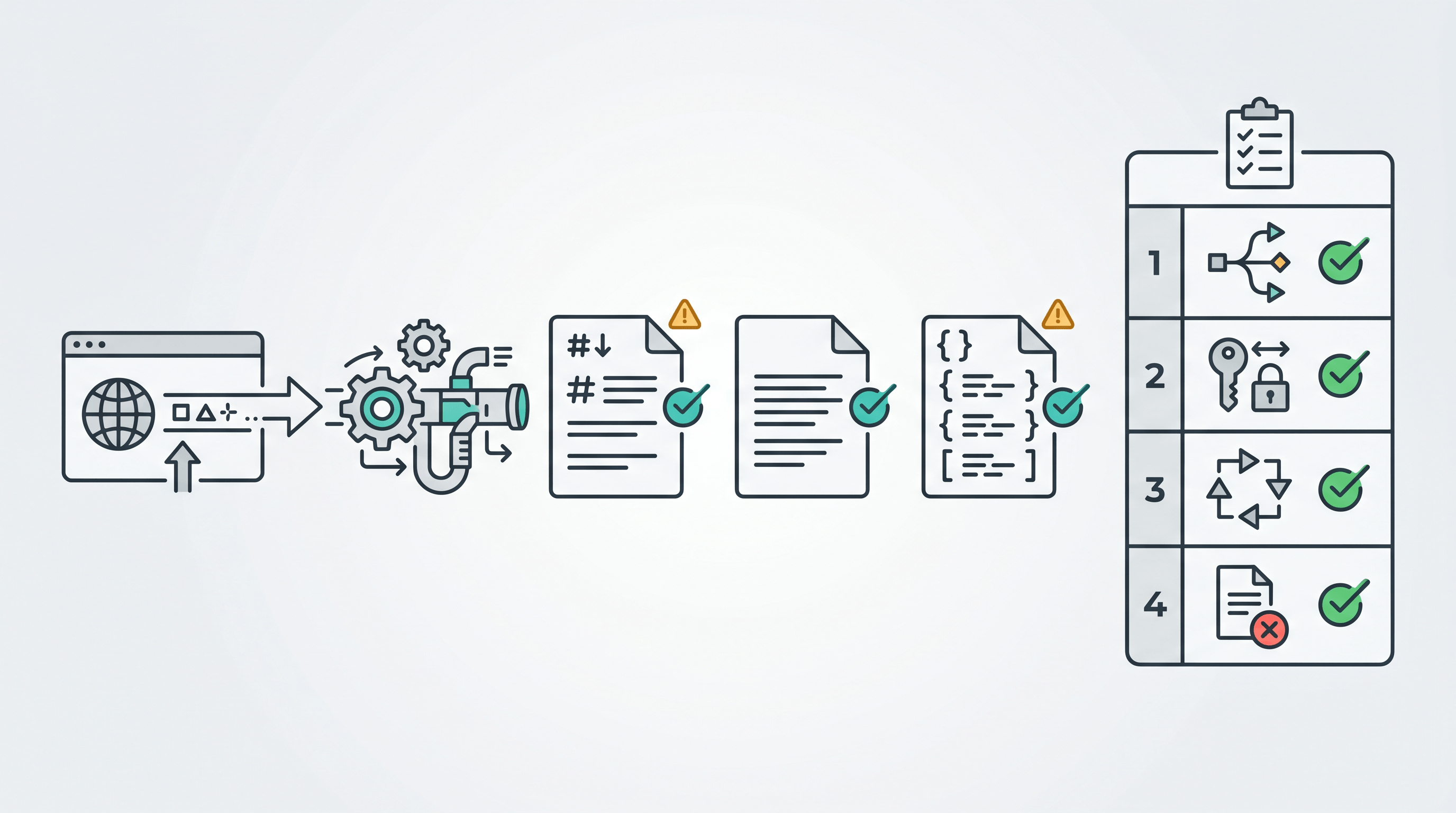
A lightweight Auth.md inspection workflow looks like this:
- Confirm the root path resolves. The Auth.md URL should return a 200 status and readable Markdown, not an HTML marketing page or a redirect loop.
- Check the top-level flow. The Markdown output should preserve the main steps: discovery, method choice, registration, claim, token exchange, credential use, errors, and revocation.
- Validate endpoint references. The Auth.md file should point to the Protected Resource Metadata, authorization server metadata, registration endpoint, claim endpoint, token endpoint, and revocation endpoint.
- Compare scopes. The scope inventory in Auth.md should match the scopes advertised by
scopes_supportedin the metadata, or clearly explain any subset. - Review error recovery. The Text output should still explain what to do for common Auth.md failures such as
interaction_required,login_required,authorization_pending, andinvalid_grant. - Automate obvious checks. The JSON output can help flag missing links, missing endpoint strings, duplicate sections, or a missing revocation path.
This inspection step is valuable even if your service is not ready to publish Auth.md yet. It catches the exact problems agents struggle with: ambiguous instructions, broken links, missing scopes, and sections that look fine in a browser but collapse when converted into plain text.
Auth.md Implementation Checklist
Before publishing Auth.md, check both the Markdown file and the OAuth runtime. A valid-looking Auth.md file is not enough if the metadata or endpoints disagree with it.
| Check | Pass condition |
|---|---|
| Root Markdown file | https://service.example.com/auth.md returns clean Markdown and names the real resource and auth hosts |
| Protected Resource Metadata | /.well-known/oauth-protected-resource returns resource, authorization_servers, scopes_supported, and bearer method data |
| Authorization Server metadata | /.well-known/oauth-authorization-server returns OAuth endpoints and an agent_auth block |
| Registration endpoint | /agent/identity accepts only the registration types the service actually supports |
| User consent | Agent verified and email-based flows surface resource name, scopes, and user consent before identity assertion |
| Claim ceremony | User claimed flows bind the code to the intended signed-in user and expire stale attempts |
| Token exchange | The token endpoint supports JWT-bearer assertion exchange and the Auth.md claim grant if user claimed flow is enabled |
| Revocation | Access-token revocation and registration-level revocation are both documented |
| Audit trail | Registrations, claims, token exchanges, revocations, and failures are logged with enough context to investigate |
For schema markup on the blog article itself, use Article plus FAQPage. If you present the inspection workflow as numbered operational steps, HowTo schema is also a good fit.
FAQ
What is Auth.md in one sentence?
Auth.md is a root-domain Markdown file that explains how AI agents can discover OAuth metadata, register with a service, request scopes, obtain access tokens, and handle revocation on behalf of a user.
Is Auth.md an official OAuth standard?
Auth.md is not an OAuth RFC. It is an open protocol proposal from WorkOS that builds on existing OAuth standards, especially OAuth Protected Resource Metadata, Authorization Server Metadata, JWT bearer token exchange, device-authorization-shaped claim ceremonies, and token revocation.
What is the difference between Auth.md and OAuth Protected Resource Metadata?
Auth.md is the prose guide agents read to understand the registration workflow. OAuth Protected Resource Metadata is the machine-readable JSON source of truth for resource identity, authorization servers, scopes, and bearer methods. If they conflict, the metadata should win.
What is the difference between Auth.md and llms.txt?
Auth.md is for authentication and agent registration. llms.txt is for content discovery and LLM-friendly reading paths. A service may publish both: Auth.md for “how do I get scoped credentials?” and llms.txt for “which docs should I read?”
Do all agents need the agent verified Auth.md flow?
No. The agent verified Auth.md flow works only when the agent provider can mint a trusted ID-JAG and the service trusts that provider. Agents built on bare LLM APIs or untrusted runtimes usually need the user claimed flow, where the user confirms a code on a service-owned page.
Can URL to Any validate an Auth.md implementation?
URL to Any can help inspect whether an Auth.md file is readable and structurally clear in Markdown, Text, and JSON forms. It does not replace runtime security testing of OAuth endpoints, signature verification, token expiry, revocation, or claim binding.
Should an Auth.md file include every API endpoint?
No. Auth.md should include the endpoints needed for discovery, registration, token exchange, credential use, errors, and revocation. Put the full API reference in regular docs and link to it from Auth.md when the agent needs deeper operational context.
Conclusion
Auth.md is a small file with a narrow job: help AI agents discover how to register and authenticate with a service without forcing a human to translate docs into credentials. Its strength is that it pairs readable Markdown with OAuth metadata and scoped token flows rather than inventing a whole new authentication stack.
If you are evaluating Auth.md, start with the file itself. Keep it short, ordered, and testable. Convert it to Markdown, Text, and JSON, then check whether an agent can still find the endpoints, scopes, registration flows, claim behavior, and revocation path.
Need to inspect an Auth.md file before shipping it? Try URL to Any free -> and convert the root URL to Markdown, Text, or JSON in seconds.
Related Articles

PDF to Markdown: What LiteParse's September 2026 Update Changes
LiteParse 2.14.6 cuts PDF text extraction by 20–25%, lifts table accuracy on all three benchmarks, and adds block-level visual grounding plus an is-complex router. What the vendor-reported numbers say — and how to choose a PDF to Markdown approach.
Qwen3.8-Omni-Flash: Convert Web Pages to Markdown/JSON to Feed Multimodal Models
Qwen3.8-Omni-Flash takes text, image, audio, and video input with 1M context and cut hourly audio input prices by over 98%. See when to convert web pages to Markdown vs JSON for your AI pipeline — free, no install.
Cloudflare's Disallow AI Training: Impact on URL to Markdown Workflows
Cloudflare's Disallow AI Training setting separates search visibility from AI training. Here's what it changes for URL to Markdown extraction — and how to adapt.